
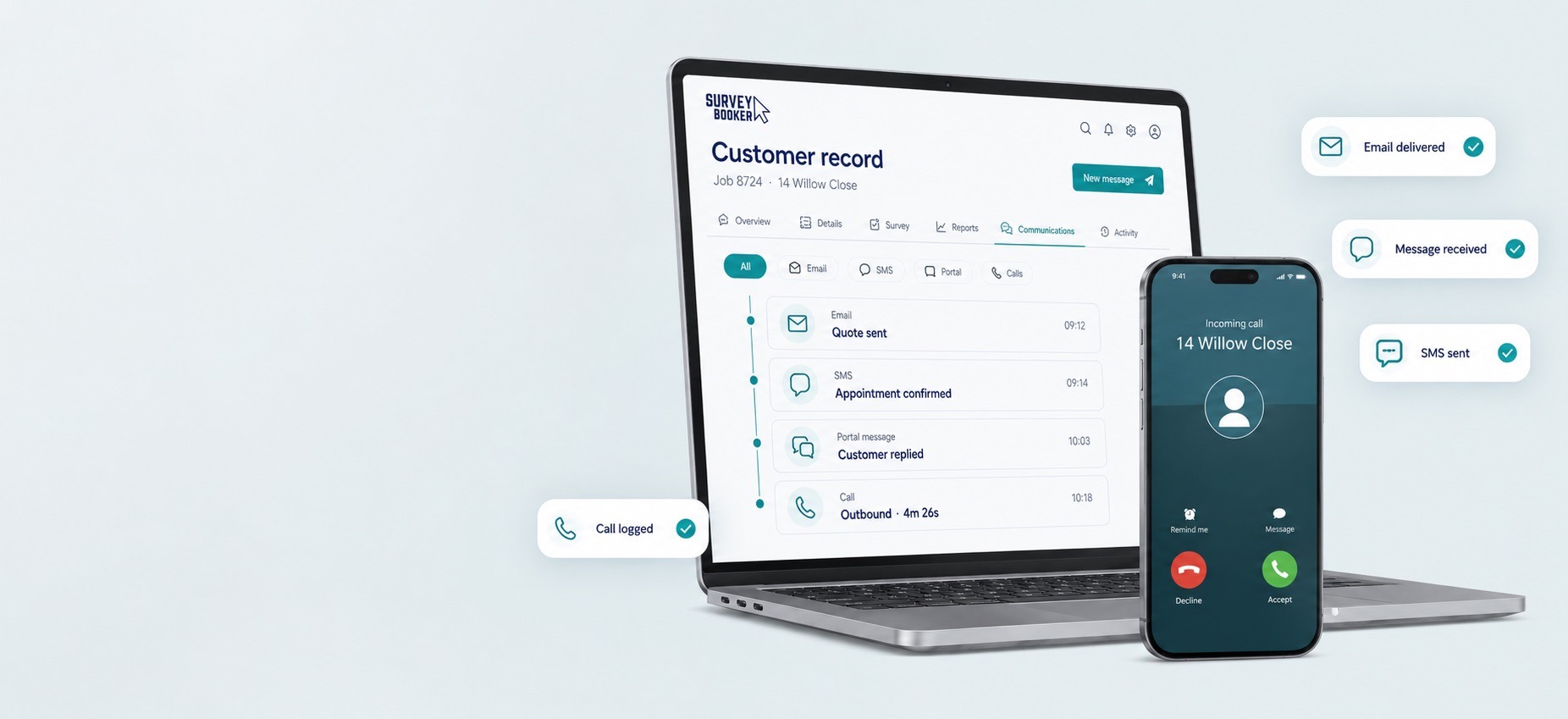
Send updates and retain replies within the communication history.
COMMUNICATION TOOLS FOR SURVEYORS
Every conversation. One connected customer record.
Bring email, portal messages, SMS and calls together in Survey Booker, so your team can respond with context and your customers stay informed.
Automate the routine updates, keep personal conversations personal and retain a dependable communication history throughout every job.
Multiple channels
One customer history
Customisable HTML emails
COMMUNICATE WITH CONTEXT
Start exploring
Customers choose different channels. Your team still needs one version of the truth.
Survey Booker connects communication to the customer and job it belongs to. That means fewer disconnected inboxes, clearer handovers and a history your team can return to whenever the customer gets back in touch.
UNIFIED COMMUNICATIONS
Bring every conversation back to the work it belongs to.
See emails, SMS, portal messages and calls together on the same customer and job record. Your team can understand what has happened, who responded and what should happen next without searching across separate systems.
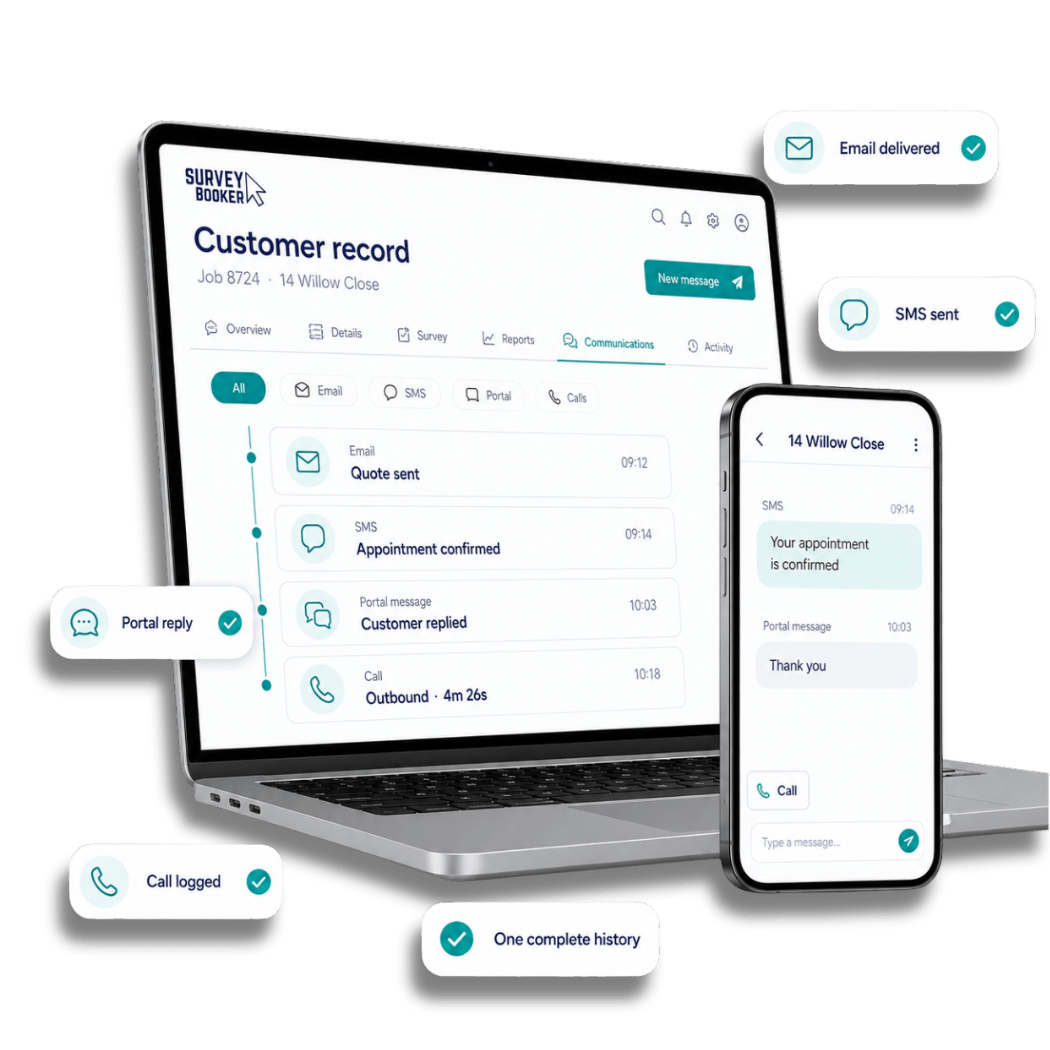
One complete communication history
Give every team member the context to pick up the conversation
Communication remains connected to the customer record, rather than the individual who last replied. Teams can move between channels while retaining a clear view of the relationship and the associated work.
Email and replies
Portal messages
SMS updates
Call activity
Messaging
Give customers and teams a convenient portal conversation.
SMS
Deliver useful notifications at the moments that matter.
Calls
Connect calling tools and retain completed call activity.
EMAIL COMMUNICATIONS
Send the right email, then keep the reply with the job.
Blend automated and manual email without losing the personal service your customers expect. Survey Booker can keep leads engaged, issue timely job updates and retain replies alongside the customer history.
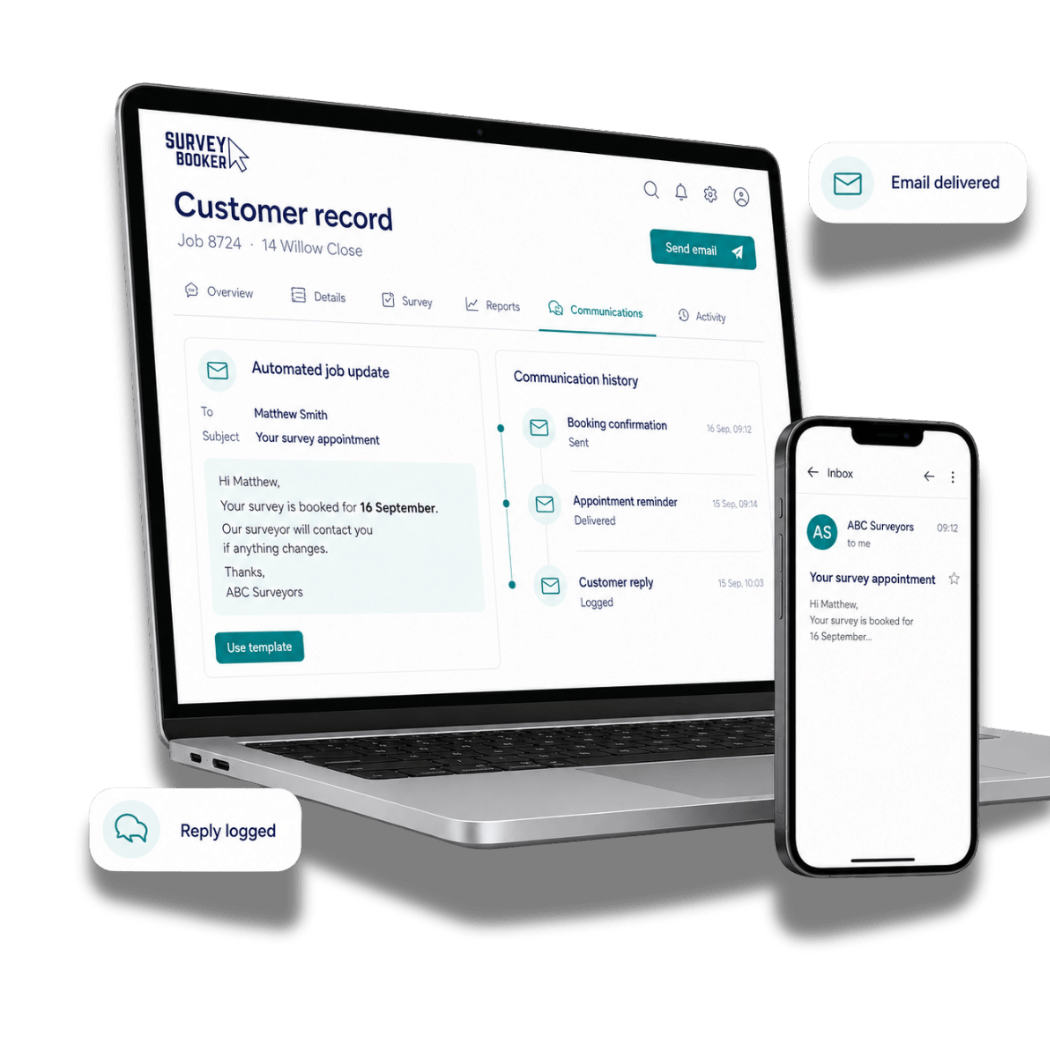
Automated when useful, personal when it matters
Consistent communication without starting from a blank email
Create reusable templates, trigger useful updates and write a personal response when the conversation needs it. Sent emails and incoming replies remain accessible from the customer record.
Explore automation and time-saving tools →
BRANDED HTML EMAILS
Create emails that look and feel like your practice
Build customisable HTML email templates around your branding, content and customer journey. Bring together your logo, colours, imagery, formatted sections and clear calls to action, then reuse the design across automated and manual communications.
Custom branding
Rich HTML layouts
Reusable templates
Service-specific content
YOUR
PRACTICE
PRACTICE
CUSTOMER UPDATE
Your survey appointment is confirmed
Keep customers informed with clear, beautifully presented information at every stage.
View appointment detailsLead nurturing
Keep new enquiries engaged with timely information while your team prepares a personal follow-up.
Job updates
Reassure customers with clear communication at key stages and reduce avoidable progress chasers.
Manual emails and replies
Respond personally when needed while retaining customer replies against the correct record.
PORTAL MESSAGING
Make quick conversations easy without losing context.
Give customers a straightforward way to ask questions and receive replies through their account. Your team can respond quickly while keeping the conversation linked to the customer and job.
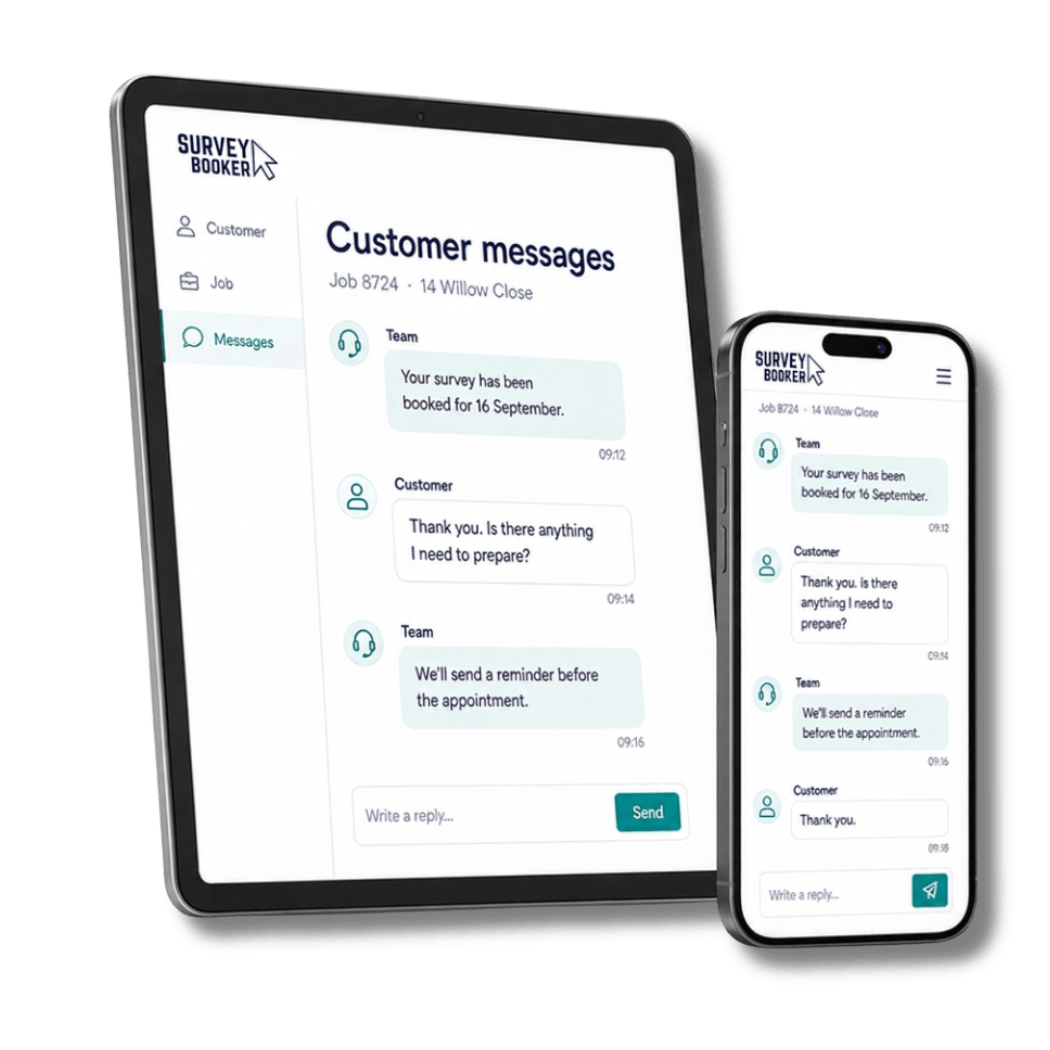
A convenient two-way conversation
Another route to your team, within the customer experience
Customers can send and receive messages through their account, while notifications help keep the conversation moving. The exchange remains visible to the people supporting the job.
Explore the customer portal →
SMS COMMUNICATIONS
Put important updates where customers are likely to see them.
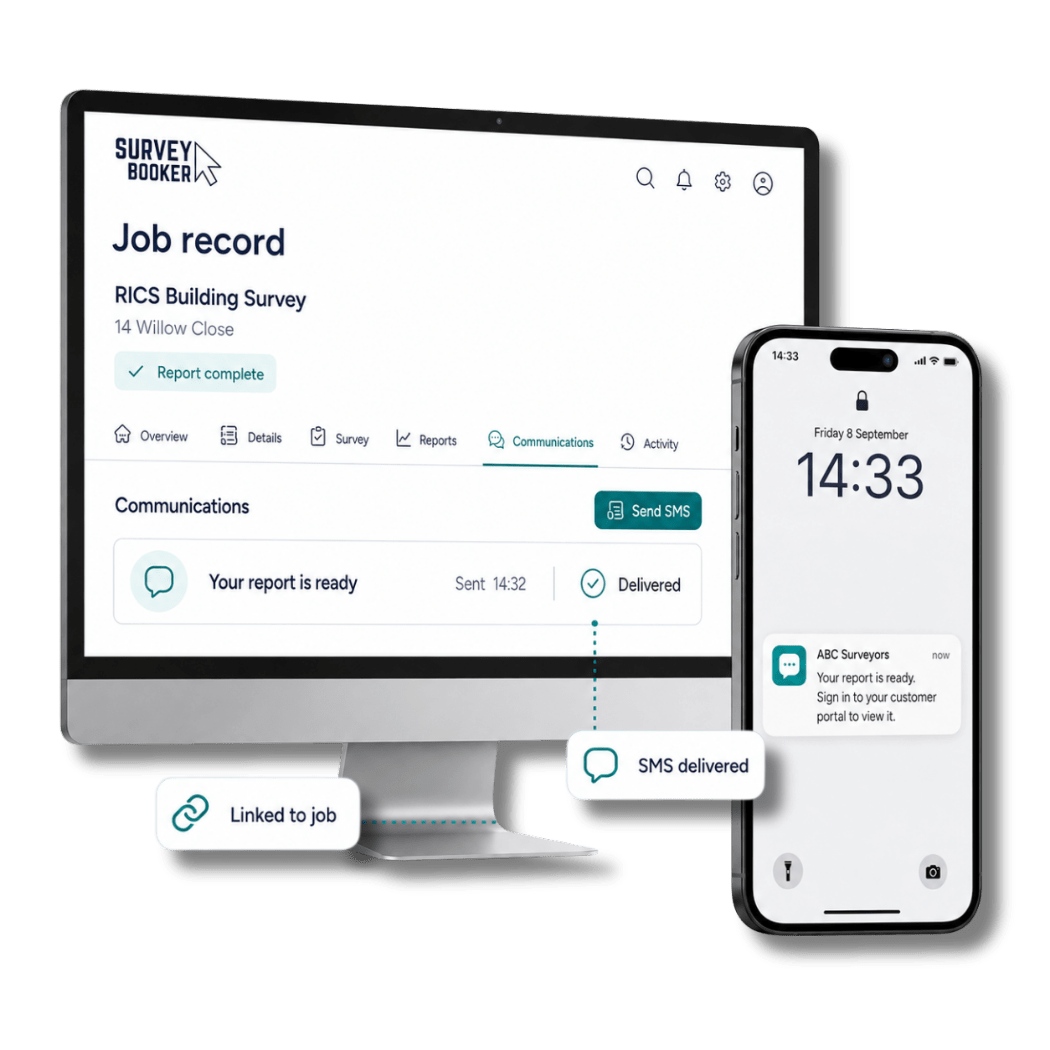
Use SMS for short, useful information that benefits from quick visibility. Confirm an appointment, share a timely reminder or let the customer know that their report is ready.
01Send a relevant updateUse a concise message that supports the current stage of the job.
02Keep it connectedRetain the communication alongside the associated customer and job.
03Reduce uncertaintyGive customers the information they need before they have to ask.
CONNECTED CALLING
Make the call, not the administration around it.
Sometimes a conversation is the quickest and most reassuring way to help. Calling integrations can make it easier to dial the customer and record completed call activity against the communication history.
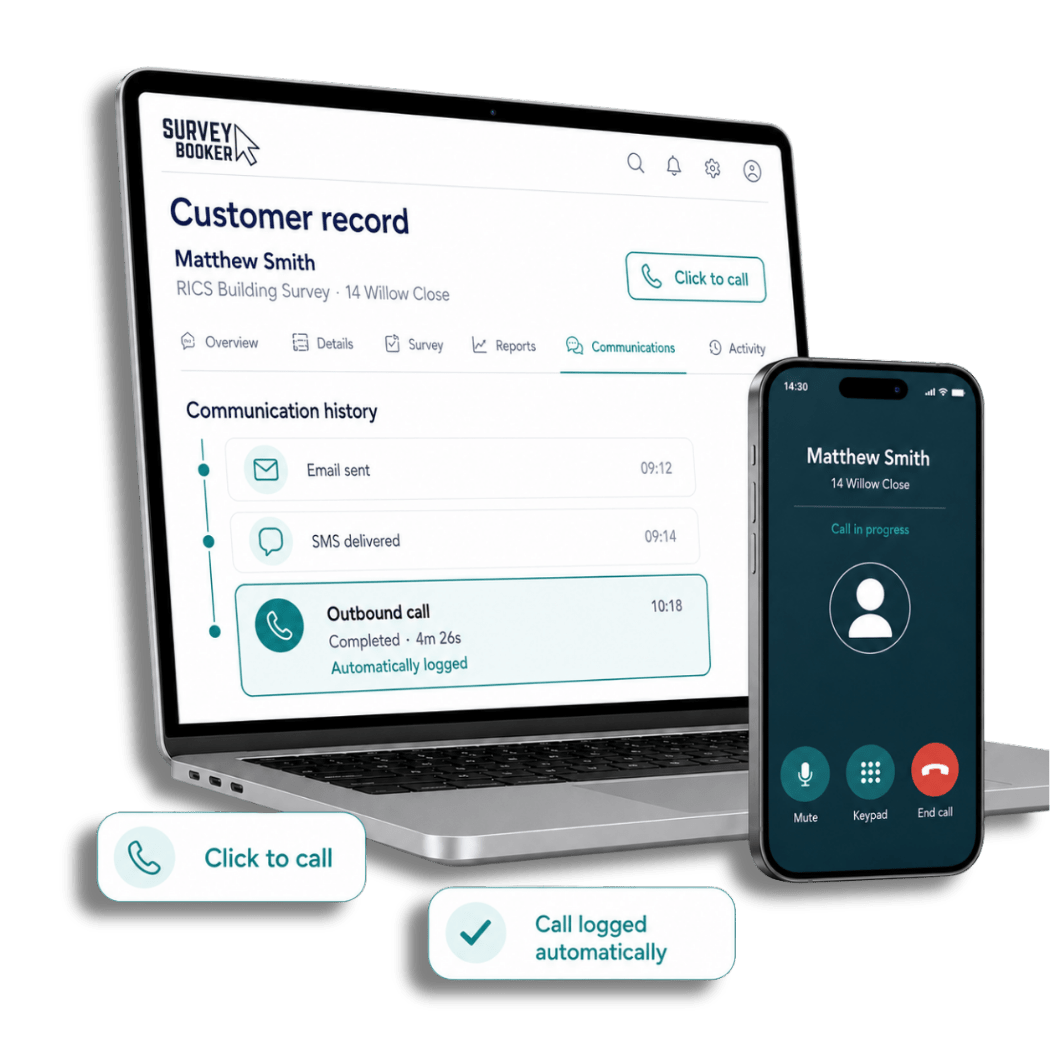
Click, connect and retain the history
Spend more time in the conversation and less time recording it
Use a supported pre-built integration or API to connect calling with Survey Booker. Completed activity can remain visible alongside emails, messages and SMS, providing a fuller view of customer contact.
Click to callCall loggingPre-built integrationsAPI options
Explore Survey Booker integrations →
Call with the right information visible
Open the customer record before the conversation and understand the recent communication history.
Keep completed activity accessible
Help colleagues see that contact has taken place without relying on a separate note or personal call log.
Support more dependable handovers
Give the next team member a fuller record when the customer calls again or the job moves forward.
Survey Booker has enabled us to provide a more personal and bespoke service, not less. It has allowed us to maintain close communication with clients while improving the overall efficiency of our processes.
EXPLORE THE COMPLETE PLATFORM
Communication works best when the wider journey is connected too.
Explore the specialist tools that sit around every customer conversation and help modern surveying practices work with greater clarity.
01Sales growthLead capture, allocation, nurturing and conversion→
02Referral partnersPortals, mobile referrals, tracking and statements→
03ComplianceAudit trails, records and secure document control→
04IntegrationsConnect reports, payments, accounts and calendars→
05CommunicationEmail, SMS, messaging and calls connected to the job→
06Performance analysisOperational insight that supports better decisions→
07Team managementAvailability, appointments, tasks and visibility→
08Panel managementRouting, partner allocation, governance and reporting→
09Web and mobile appSecure access in the office and while working remotely→
One evolving platform. Different ways of working.
See how connected communication supports survey and valuation work and longer-running projects.
SEE CONNECTED COMMUNICATION IN ACTION
Bring us the way your team communicates.
Book a tailored demonstration and explore how Survey Booker can connect customer communication to the workflow, records and team structure behind your practice.